

Imagine walking into your classroom on a Friday afternoon. The kids are fidgety, ready for the weekend, and you’re about to review last week’s math facts. Instead of groans, you pull up Blooket, share a quick code, and suddenly everyone’s leaning in, laughing, and competing. That’s the kind of energy Blooket brings to learning. If you’re a teacher or homeschool parent looking for a fun way to keep students engaged, you’ve probably heard about it. Let’s chat about what makes Blooket so special in 2025.
Key Takeaways
- Blooket makes quizzes feel like video games, with modes that keep kids hooked on learning subjects like math or history.
- The basic version is free and works great for most classes, while the paid Plus plan adds extras like better reports.
- Millions of teachers use it worldwide because it boosts participation, even on tough review days.
- New updates this year include better team play and tools for kids with different needs.
- It’s easy to set up, but a strong internet connection helps avoid little hiccups.
What Is Blooket?
Blooket is an online platform that turns regular quiz questions into playful games. Two brothers, Tom and Ben Stewart, started it back in 2018 to make classroom reviews more fun. Teachers create or grab ready-made question sets—mostly multiple-choice—and then host games where students answer to earn points, power-ups, or cute avatars called Blooks.
It’s perfect for K-12 kids, whether in school or homeschooling. Subjects range from science to language arts. Over the years, it’s grown huge, with millions of users loving how it mixes learning with game excitement.

The main idea is simple: kids learn better when they’re having fun. Blooket helps teachers review material without it feeling like a test. Students compete or team up, which gets even the quiet ones joining in. Many teachers say participation jumps way up—some report kids begging for “just one more round.”
Target Users and Subjects
Mostly teachers and students in grades 3-12, but it works for younger or older too. Homeschool parents love it for solo practice. You can use it for any subject with questions, like vocabulary in English or facts in history.
How Blooket Works
Getting started is straightforward. Sign up for a free teacher account on the dashboard, make or import questions, pick a game mode, and share a code. Students join on any device with a browser—no app needed.
Here’s a quick step-by-step:
- Log in and go to your dashboard.
- Create a new set or search the library for ready ones (thousands available).
- Add questions—keep them short with images or even audio for extra engagement.
- Choose “Host” and pick your mode.
- Share the code or link—kids type it at blooket.com/play.
Tip: Test with a small group first to check your internet. Slow connections can cause freezes.
Game Modes Explained
Blooket shines with its variety—over 20 modes now. Each uses the same questions but feels different.
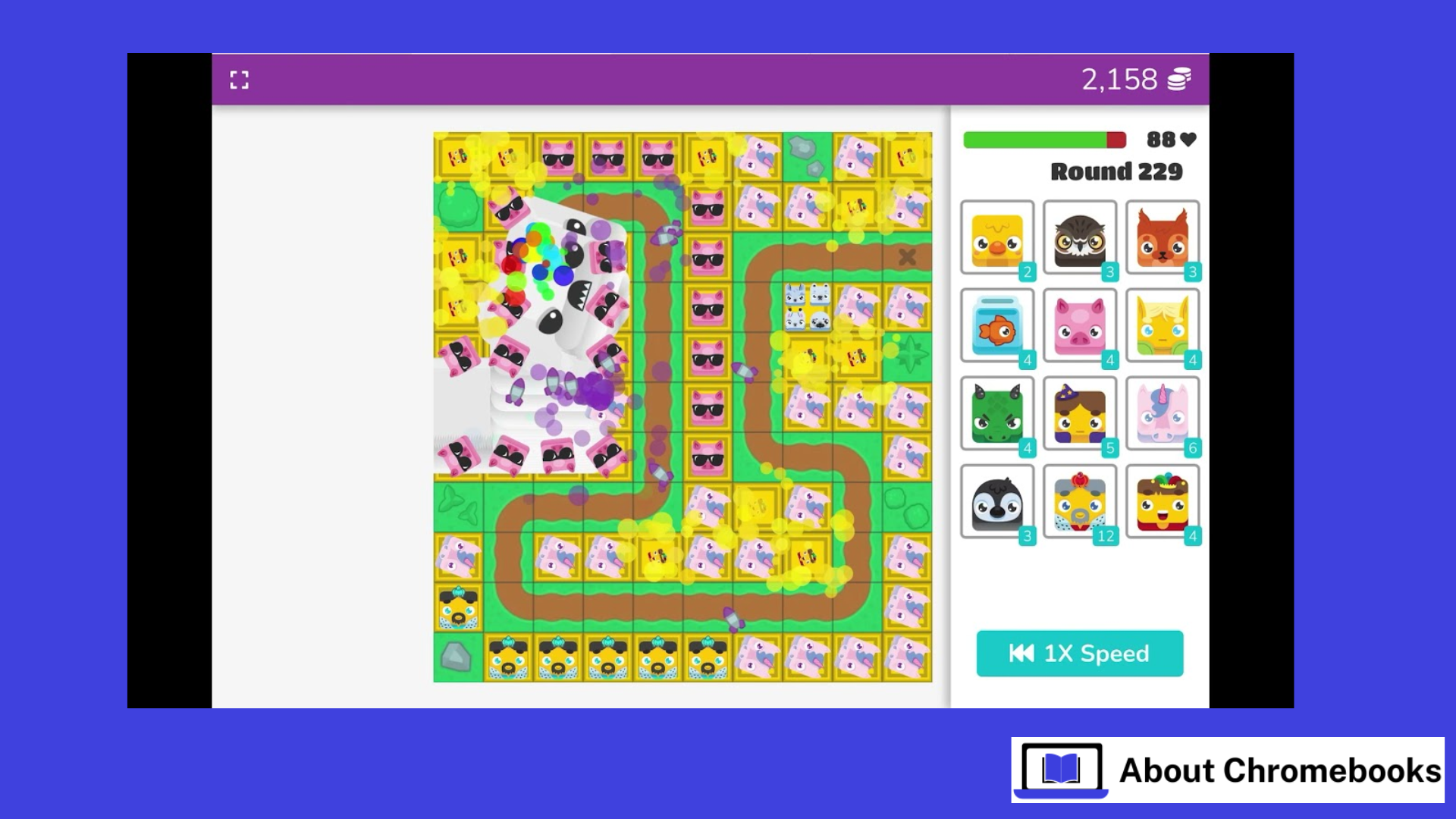
- Tower Defense: Answer right to place towers and stop enemies. Great for strategy fans.
- Gold Quest: Collect gold, but watch out—others can swap or steal.
- Café Mode: Run a virtual café, serving customers faster with correct answers.
- Newer ones like Zorblitz (a fast shooter) keep things fresh in 2025.
Picture a middle school history class: The teacher uses Tower Defense for civil war facts. Kids discuss answers to build better defenses, and suddenly everyone’s recalling dates without realizing it.
Key Features of Blooket
What sets it apart? Custom avatars (Blooks) that kids collect with tokens, rewards for good play, and homework modes for practice outside class.
Customization Options
Kids love unlocking Blooks—fun characters like animals or space themes. Earn tokens in games (daily cap around 500), then buy packs. It’s like a light collection game on the side.
Analytics and Reporting
Free version gives basic scores. Plus upgrades show detailed reports—who struggled on which question. Helpful for spotting gaps.
2025 Updates
This year brought better team modes, where kids collaborate more. Accessibility improved too, with things like text-to-speech and easier controls for different learners. Multiplayer feels smoother, and some modes support bigger groups.
Blooket vs. Alternatives
Teachers often compare it to Kahoot, Gimkit, or Quizizz. Here’s a simple breakdown:
- Blooket: Tons of game variety, rewards like Blooks. Best for fun, longer sessions.
- Kahoot: Quick, live quizzes with music and podiums. Great for energy bursts, but fewer modes.
- Gimkit: Kids earn money to buy power-ups—more strategy.
- Quizizz: Self-paced, good for homework.
Many teachers switch to Blooket for the excitement. One said her class went from quiet during reviews to cheering. But if you need super simple, Kahoot might fit better.
When to Choose Blooket
Go for Blooket if you want variety to avoid boredom. It’s strong for engagement in mixed-ability classes.
Pros and Cons of Blooket
Like anything, it’s not perfect.
Advantages
- Kids stay motivated—teachers see higher participation.
- Flexible for class or home.
- Free tier covers most needs.
Drawbacks
- Some modes rely on luck, frustrating kids who know answers but lose anyway.
- Glitches happen, especially with spotty internet.
- Multiple-choice only, no open-ended questions.
Practical Tips for Success
Let’s fix common issues with easy hacks.
Preventing Cheating
Kids might look up answers. Try these:
- Short time limits per question.
- Randomize order.
- Walk around or use random names.
Enhancing Accessibility
New tools help, like reading questions aloud. For special needs, pick calmer modes and high-contrast options.
Integrating with Tools
Import from Quizlet easily. For reports, export to Google if needed. Some teachers link with Classroom for assignments.
Addressing Challenges
Technical issues can usually be fixed with simple steps, such as clearing the browser cache or using a reliable browser like Chrome. If fairness is a concern, choosing skill-based modes like Factory helps ensure that knowledge—not luck—drives success. Imagine a teacher struggling with lag during a game; by switching to a wired internet connection and pre-loading the session, the problem disappears, and the class runs smoothly.
Over time, game-based learning like this supports stronger retention. When students connect learning with excitement and positive emotions, they are more likely to remember key concepts. As Blooket continues to evolve with new game modes and collectible packs released throughout the year, it remains a smart and engaging way to reinforce learning without pressure.
Conclusion
Blooket proves that learning doesn’t have to feel like a chore. By blending quiz questions with exciting game mechanics, it turns ordinary review sessions into moments students actually look forward to. In 2025, with improved accessibility features, smoother multiplayer modes, and better teamwork options, Blooket continues to stand out as a powerful classroom engagement tool. While it may not replace traditional teaching methods, it works exceptionally well as a review and reinforcement platform. Whether you’re managing a lively classroom or teaching from home, Blooket offers a simple, fun, and effective way to help students remember more—and enjoy the process. Trying one game might be all it takes to transform your next lesson.
